
Employee Management Software
Take control of your HR processes with BriskPeople’s employee management software. Manage employee information, monitor performance, and keep operations running smoothly across your organization.

Brisk People Employee Management Features

Employee Directory
A single source of truth for all employee information. Search and view contact details, departments, positions, and reporting structure in one place.

Departments & Positions
Define departments and positions to structure your workforce. Assign employees to roles and maintain clear reporting lines.

Employee Records
Store and manage comprehensive employee records including personal details, employment history, documents, and role changes.

Onboarding
Streamline new hire onboarding with structured checklists, document collection, and role-based setup from a central module.

Workflow & Approvals
Manage employee-related workflows such as transfers, promotions, and updates with configurable approval chains.

My Asset
Employees can view assigned assets including asset type, model, and serial number.

Features of Employee Management System
- starCentralized employee data: One place for all employee information, departments, and positions.
- starConfigurable structure: Set up departments and positions to match your organization.
- starRole-based access: Control who can view and edit employee records by role.
- starDocument storage: Attach and manage employee documents securely.
- starEmployment history: Track join date, role changes, and tenure in one timeline.
- starCompliance-ready: Maintain records that align with employment and data regulations.
- starAccess from anywhere: Use the system on PC, smartphone, or tablet.
Manager's Decision Making
Managers get clear visibility into team structure, headcount, and employee data. Approve transfers, updates, and role changes quickly. Employee management keeps data in sync with payroll and other modules, so decisions are based on accurate, up-to-date information.
- starVisibility into team structure and headcount by department.
- starQuick approval of employee-related requests (transfers, updates).
- starEmployee data stays in sync with payroll and other HR modules.
- starManagers can access relevant employee reports via self-service.


Employees
Employees can view their own profile, department, and position. Self-service options let them update personal details and documents where permitted, reducing back-and-forth with HR and keeping records accurate and current.
- starView your own profile, department, and position details.
- starUpdate personal information and documents through self-service where allowed.
Many Other Features
Additional capabilities to support your employee management workflow:
- starAutomatic sync with payroll and attendance for accurate records.
- starIntegration with calendar and HR tools for a unified experience.
- starDepartment-level approvers and workflows for scalable governance.
- starReporting and exports to Excel or CSV for audits and planning.

Self-service for Employees and Managers
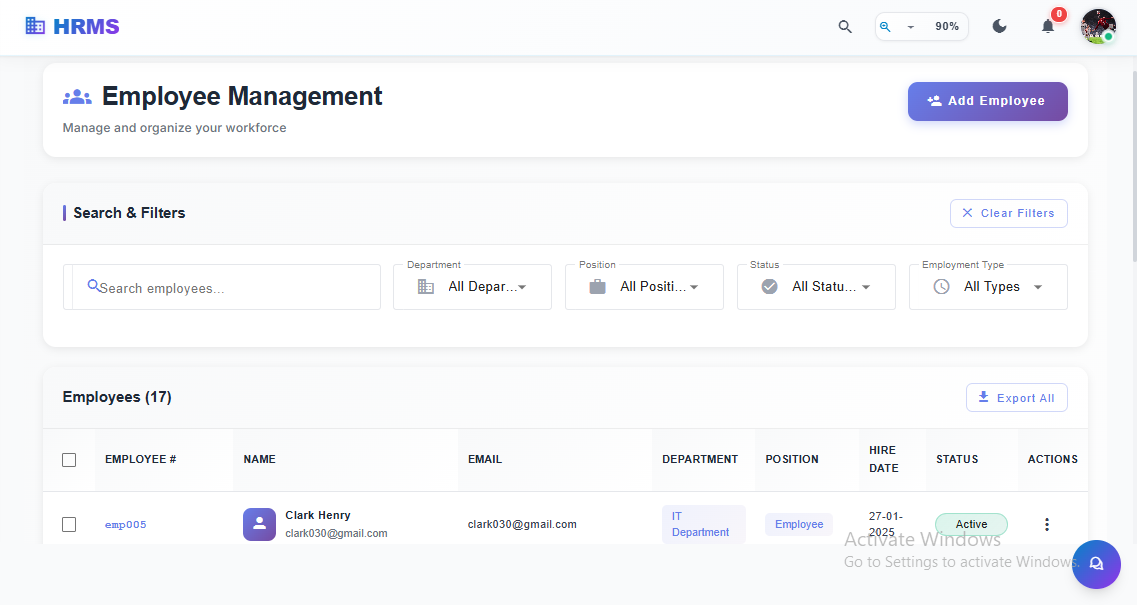
Employee Management
Browse, search, and filter employee records by department, position, and status. Add new employees quickly and manage their details in a single system for streamlined HR operations.
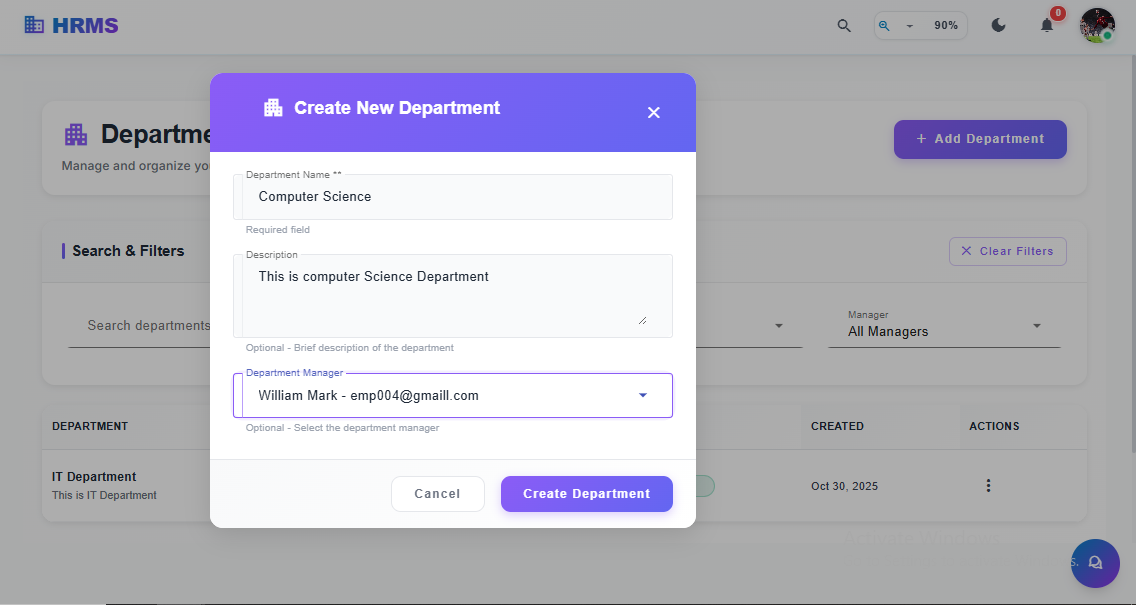
Manage Departments
Quickly set up and manage departments with the ability to assign managers. Streamline the onboarding process by organizing roles and departments, ensuring a seamless workflow.
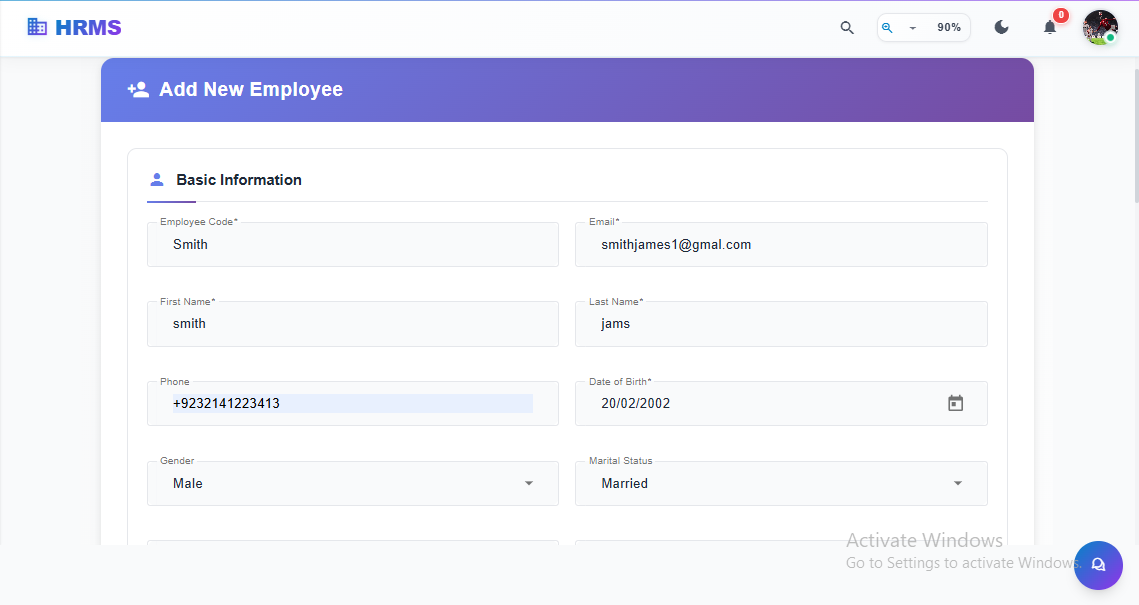
Seamless Employee Onboarding
Easily add new employees to the system by entering their basic information, such as name, contact details, and other personal data. Simplify the onboarding process and ensure accurate records from day one.
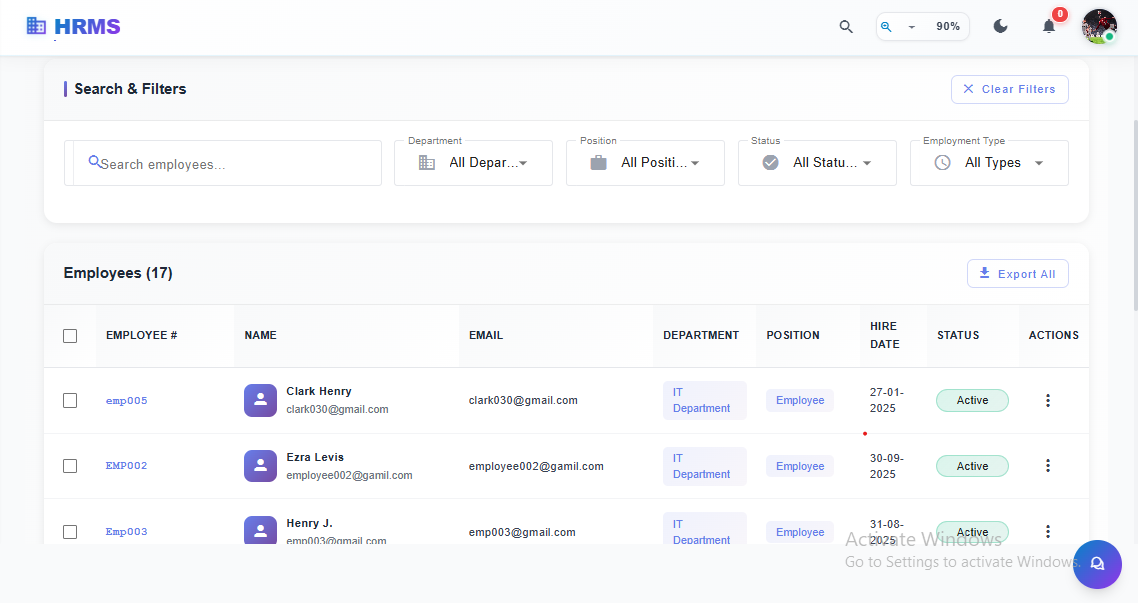
Manage Employee Data Efficiently
Easily search and filter employee records by department, position, and status. View key details such as hire date, department, and position, and take actions with just a few clicks for streamlined workforce management.