
How to Choose the Best Employee Attendance Tracker for Small Teams
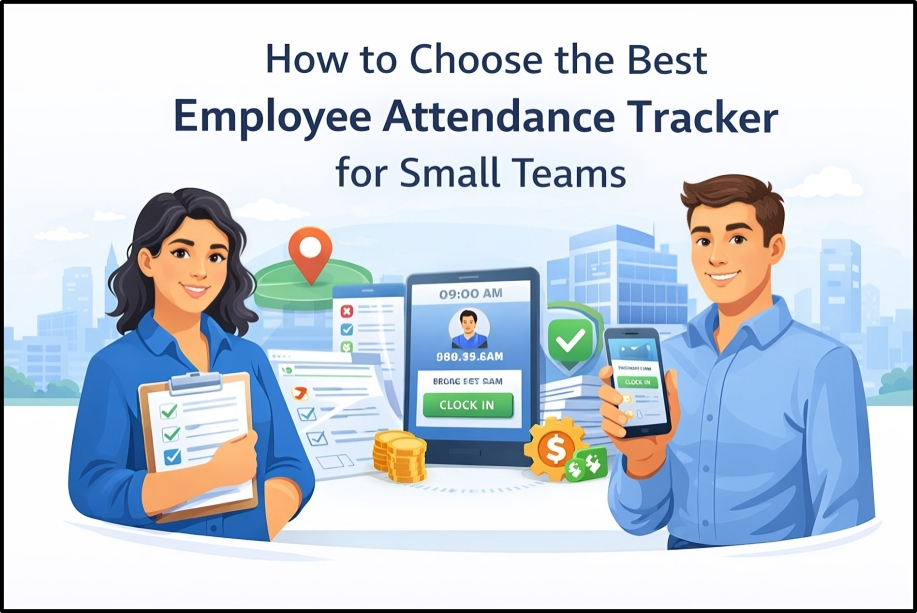
Managing employee attendance manually can be time-consuming and error-prone, especially for small teams. As your business grows, it becomes even more difficult to track working hours, sick leave, and vacation days accurately. An Employee Attendance Tracker for Small Teams can help streamline this process, reduce payroll errors, and save valuable administrative time
In this guide, we’ll cover everything you need to know to choose the right attendance tracker. Whether you need a simple Clock-In/Out System for your retail store or a more comprehensive attendance management tool that integrates with your Payroll System, this article will help you make an informed decision. By the end, you’ll have the knowledge to select a solution that not only helps you stay organized but also ensures compliance with labor laws and boosts your team’s productivity.
What Is an Employee Attendance Tracker?
An attendance tracker is a software solution that helps businesses monitor, record, and manage employee attendance. It automates the process of clocking in and out, records breaks, and calculates total working hours. The purpose of this tool is to replace traditional manual attendance tracking methods like spreadsheets and paper logs, offering an automated and more efficient solution.
By using an attendance tracker, businesses can ensure accurate records, stay compliant with labor laws, and streamline payroll processing. Automated systems reduce human errors, save valuable time, and allow HR teams to focus on more strategic tasks. Whether you're tracking sick leave, vacation days, or overtime, an attendance tracker ensures everything is recorded accurately and automatically.
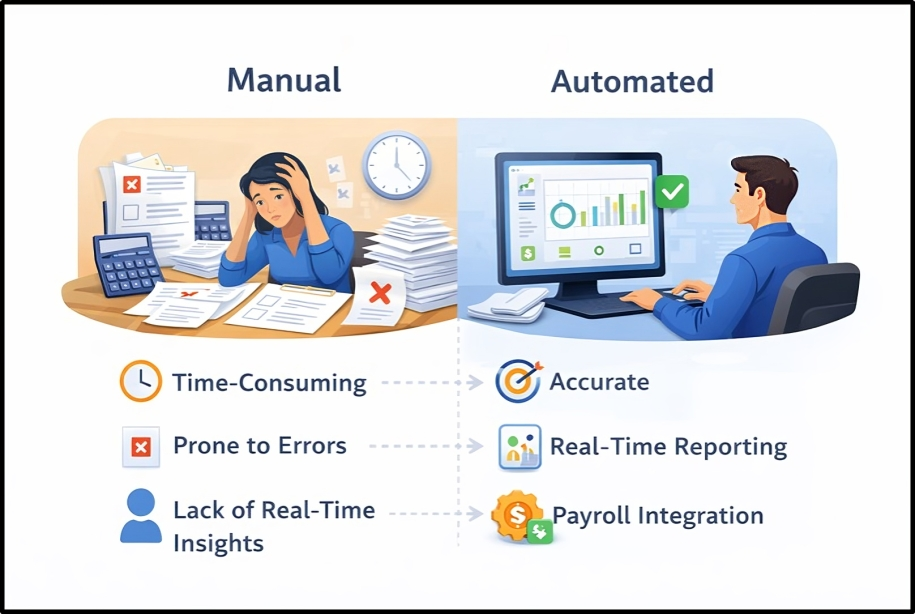
Manual vs Automated Systems: Key Differences
Manual Attendance Systems:
Automated Attendance Systems:
Switching to an automated attendance tracker offers several key benefits:Cloud-Based and Mobile Attendance Apps
In today’s business world, many modern attendance tracking systems are cloud-based, allowing businesses to store data securely online. This means attendance records are accessible anywhere, at any time, making it easier for HR teams to stay organized, especially for businesses with remote employees or multiple locations.
Mobile Attendance Apps allow employees to clock in and out using their smartphones, further improving flexibility and convenience. These apps often come with additional features like GPS tracking, which ensures that employees working in the field or remotely are clocking in at the correct location.
The combination of cloud-based software and mobile apps means that businesses can track employee attendance in real-time, no matter where their teams are located. This offers a higher level of flexibility, making it a great solution for small businesses with diverse work environments.
Why Small Teams Need an Attendance Tracker
Challenges of Manual Attendance
For small teams, relying on manual attendance tracking can present several significant challenges. Common problems include:Payroll Errors and Compliance Risks
Without an attendance tracker, payroll errors are more likely. Inaccurate attendance data can lead to:Time Savings for HR Teams
Implementing an attendance tracker brings significant time savings to HR teams. Here's how:By automating these tasks, small businesses can free up HR teams to focus on more important activities, like Employee Development and engagement. The efficiency of using an attendance tracker allows businesses to invest more time in growth and innovation.
Must-Have Features in Attendance Tracking Software
When selecting an attendance tracking system for your business, it's crucial to choose a solution that helps automate attendance processes, ensures accurate data, and improves HR efficiency. Below are the 9 must-have features that every good attendance tracker should include:
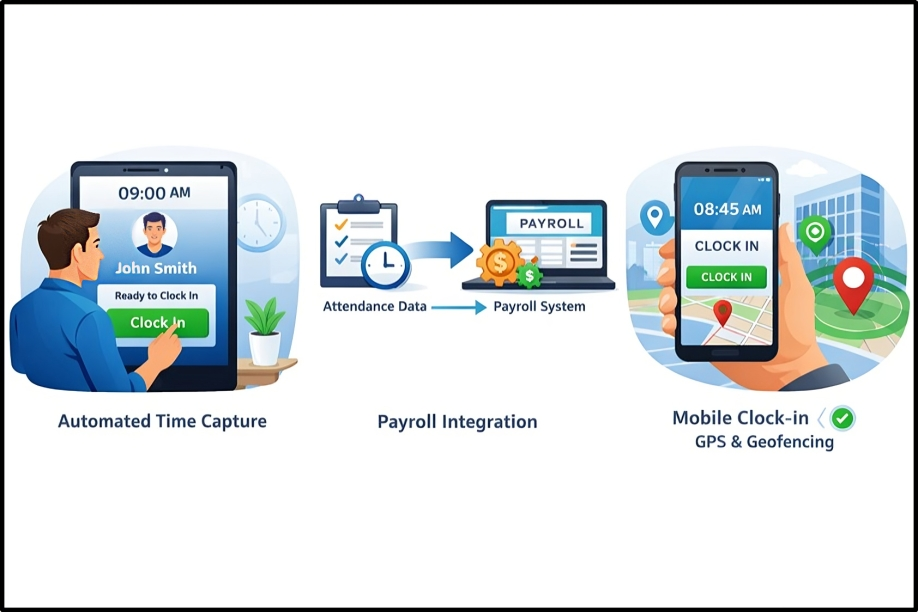
1. Automated Time Capture
Automated time capture eliminates the need for manual logging. Employees can clock in and out with just a click, and the system records their hours automatically. This reduces the chances of human error and ensures accurate attendance data. With automated time capture, HR teams spend less time tracking hours and more time on strategic initiatives.
2. Real-Time Reporting & Dashboards
Real-time reporting and interactive dashboards provide HR teams and managers with instant access to attendance data. This feature helps businesses stay on top of employee hours, track absenteeism, and monitor other attendance metrics in real-time. With these insights, managers can make data-driven decisions and address attendance issues promptly.
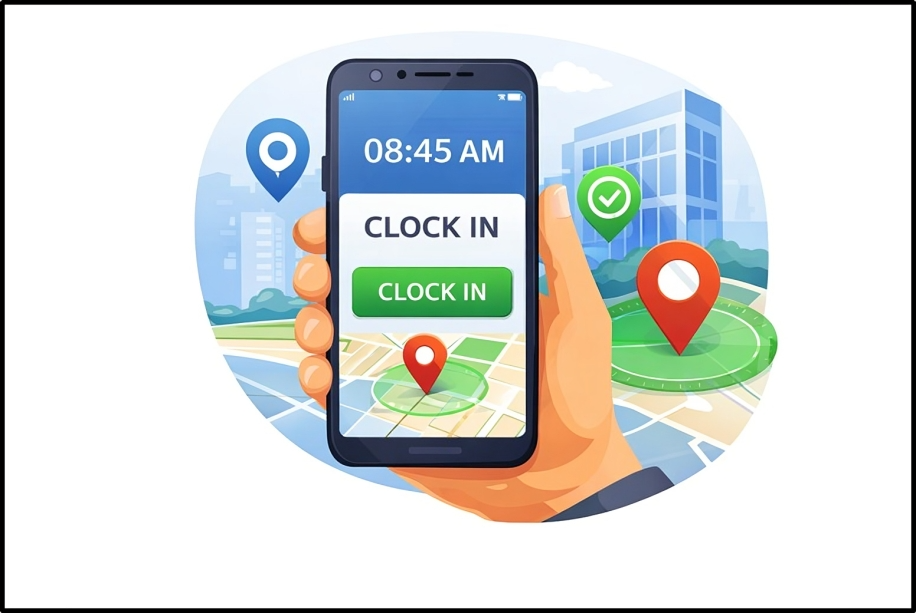
3. Mobile Clock-In / GPS & Geofencing
Mobile clock-in features allow employees to track attendance using their smartphones, making it easier for remote or field workers to mark their presence. GPS tracking and geofencing ensure that employees are clocking in from the correct location. This is especially useful for businesses with employees working in various locations, helping ensure location-based accuracy.
4.Leave & Absence Management
A solid leave management system allows employees to request time off, while HR can easily approve or decline these requests. This feature helps businesses manage vacation days, sick leave, and personal time. It provides transparent leave balances and ensures there’s no confusion over time-off requests. With automated leave tracking, HR teams avoid oversights and reduce administrative errors.
5. Payroll Integration
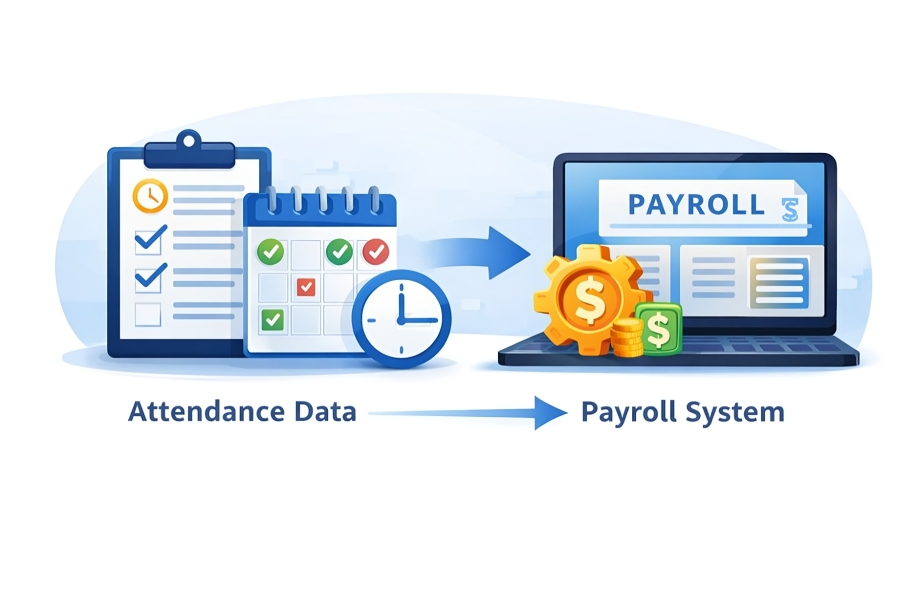
Integrating the attendance tracking system with payroll software ensures that hours worked, overtime, and leave are automatically calculated and transferred into the payroll system. This reduces payroll errors, saves valuable time, and ensures employees are paid accurately and on time without the need for manual intervention.
6. Shift Scheduling
For businesses with employees working multiple shifts, shift scheduling is crucial. A good attendance tracker should integrate with scheduling tools, allowing HR to efficiently manage employee schedules. This feature helps avoid overlapping shifts, reduces shift conflicts, and ensures the right number of employees are available during peak hours.
7. User-Friendly Interface
An intuitive user-friendly interface is essential for any attendance software. Both employees and HR staff should be able to easily navigate the system. A system that is easy to use reduces training time and ensures smooth adoption. The simpler the interface, the faster your team can get started without encountering unnecessary hurdles.
8. Security & Compliance Features
Security is a top priority when dealing with employee data. The best attendance tracking software should offer data encryption, user access controls, and audit logs to ensure that attendance data is securely stored and accessible only by authorized personnel. Additionally, the system should help businesses comply with local labor laws and offer compliance reporting for audits.
9. Affordable & Scalable Pricing
When selecting an attendance tracker, consider both affordability and scalability. Look for a solution that fits within your budget while still providing all essential features. The system should also be scalable to accommodate your growing team. As your business expands, the attendance system should be able to handle more employees, larger volumes of data, and more complex needs without major upgrades or disruptions.
Step-by-Step Guide: How to Choose the Right Software
Choosing the right attendance tracking software is essential for improving business efficiency and employee satisfaction. Here's a step-by-step guide to help you make the best decision for your small team:
1. Assess Team Size & Growth Plans
Start by evaluating the current size of your team and considering your business growth plans. A small team may only need a simple attendance tracker, while a growing business may require a more advanced system capable of handling multiple locations, remote employees, and integrations with other HR software. Understanding your current and future needs will help you make the most informed decision.
2. Feature Checklist
Create a list of must-have features for your team. Here's a basic checklist:By comparing different software options using this checklist, you can quickly identify the solution that best meets your needs. Consider using a feature comparison table to evaluate your options visually.
3. Trial Periods & Demos
Many attendance tracking software providers offer free trials or live demos. This gives you the opportunity to test the system before making a commitment. During the trial, evaluate the user interface, mobile app features, and integration capabilities to see if the software suits your team’s needs.
4. Budgeting & ROI Estimate
Consider your budget and how much you're willing to invest in an attendance tracking solution. Don’t just focus on the initial price think about the long-term savings. Calculate the ROI by considering factors lik
5. Vendor Support & Onboarding
Effective vendor support and a smooth onboarding process are essential. Ensure that the vendor offers comprehensive customer support, such as phone, email, or live chat. The onboarding process should be straightforward, with helpful guides, training materials, and tutorials that ensure your team can start using the system with minimal downtime.
Attendance Tracker Comparison Table
When choosing an attendance tracking system for your business, it’s essential to understand the different features offered at various tiers (Basic, Standard, and Premium). A well-chosen system will ensure you meet your current needs while allowing your system to scale as your business grows. Here’s a detailed comparison table to help you understand the differences between the three tiers of attendance systems:
Feature Breakdown:
1. Mobile Clock-InAll three tiers come with mobile clock-in, allowing employees to easily log their hours via smartphones. This is essential for businesses with remote workers or field employees, enabling them to track attendance from anywhere.
2. Payroll SyncOnly the Standard and Premium tiers offer payroll sync, ensuring that hours worked, overtime, and leave are automatically transferred into the payroll system for accurate and efficient payroll processing. This feature reduces the chance of manual payroll errors.
3. GPS TrackingGPS tracking is available in both the Standard and Premium versions. This is an excellent feature for remote teams or businesses with field workers, as it ensures that employees are clocking in from the correct location, improving accountability and location-based accuracy.
4. ReportingAll tiers come with reporting features, but the Premium version offers more advanced customization and depth in its reporting options. Businesses that need detailed reports on hours worked, absenteeism, and trends will benefit from these enhanced features.
5. Shift SchedulingThe Premium version is the only one that includes shift scheduling. This feature is ideal for businesses with employees working multiple shifts or across different locations. It helps to manage shift conflicts, ensure proper coverage, and improve scheduling efficiency.
Common Mistakes to Avoid
When selecting the best attendance tracking software for your business, it’s easy to focus too much on the features and miss some important considerations. Here are common mistakes to avoid to make sure you choose the right solution for your business:
1. Choosing Software Without Payroll Integration
A major mistake many businesses make is choosing an attendance tracker that doesn’t integrate with payroll. Without integration, manual data entry becomes necessary, which increases the risk of payroll errors, delays, and extra administrative work. Make sure the system you select syncs seamlessly with your payroll software, ensuring smooth, error-free processing.
2. Ignoring Mobile Usability
As the remote workforce continues to grow, mobile usability is no longer optional. Choosing an attendance system that doesn’t provide mobile access can lead to inaccurate attendance data and missed clock-ins. A mobile-friendly system is essential for businesses with field employees or remote teams who need the flexibility to track their hours from any location.
3. Not Planning for Growth
A common mistake businesses make is selecting an attendance system that meets their current needs but doesn’t allow for future scalability. As your business expands, you’ll need a system that can handle increased team size, multiple locations, and more complex attendance management system. Choose a solution that is scalable, offering features such as multi-location tracking, advanced reporting, and customizable integrations to ensure it grows with your business.
4. Picking Based Only on Price
While price is an important factor, it shouldn’t be the sole deciding factor. Many businesses opt for the cheapest solution only to realize later that the system lacks essential features, such as payroll integration, mobile clock-in, or real-time reporting. Instead of focusing purely on price, consider the value the system brings to your business. A higher-tier system may cost more upfront but can save time, reduce payroll errors, and improve overall efficiency in the long run.
Q1. What is the best attendance tracker for small teams?
A: The best attendance tracker for small teams should include automated time capture, payroll integration, mobile accessibility, and real-time reporting. Look for a solution that fits your team size, growth plans, and budget.
Q2. How does attendance tracking improve payroll accuracy?
A: Attendance tracking software automates data collection, reducing human error. It ensures accurate hours worked, calculates overtime automatically, and integrates with payroll systems for error-free payments.
Q3. What features should a small business look for in attendance software?
A: Key features to look for include mobile clock-in, payroll integration, leave management, real-time reporting, and GPS tracking. These features improve accuracy, efficiency, and compliance.
Q4. Is mobile attendance tracking important for small teams?
A: Yes, especially for remote or field employees. Mobile attendance tracking ensures accuracy, allows employees to clock in from anywhere, and provides real-time data for managers.
Q5. What are the benefits of integrating payroll with attendance tracking software?
A: Integrating payroll with attendance software ensures accurate pay calculations, reduces manual entry errors, and streamlines payroll processing, saving time for HR
Q6. How does GPS tracking improve attendance accuracy?
A: GPS tracking ensures employees clock in from the right location, especially for remote or field workers, preventing location-based errors and improving accountability.
Q7. Can attendance tracking software be used for shift scheduling?
A: Yes, shift scheduling helps businesses manage employee shifts, avoid overlap, and ensure proper coverage. This feature is available in premium attendance trackers.
Q8. What is the difference between basic and premium attendance tracking software?
A: Basic offers core features like mobile clock-in and reporting, while premium includes payroll sync, GPS tracking, and shift scheduling for more advanced needs.
Q9. How does an attendance tracker help with compliance?
A: Attendance trackers help with compliance by automatically recording work hours, overtime, and breaks, ensuring your business follows labor laws and avoids penalties.
Q10. What are the key factors to consider when choosing attendance software for a small business?
A: Consider features like mobile clock-in, payroll integration, scalability, ease of use, customer support, and pricing to ensure the software meets your business needs and budget.